POS & Management Software
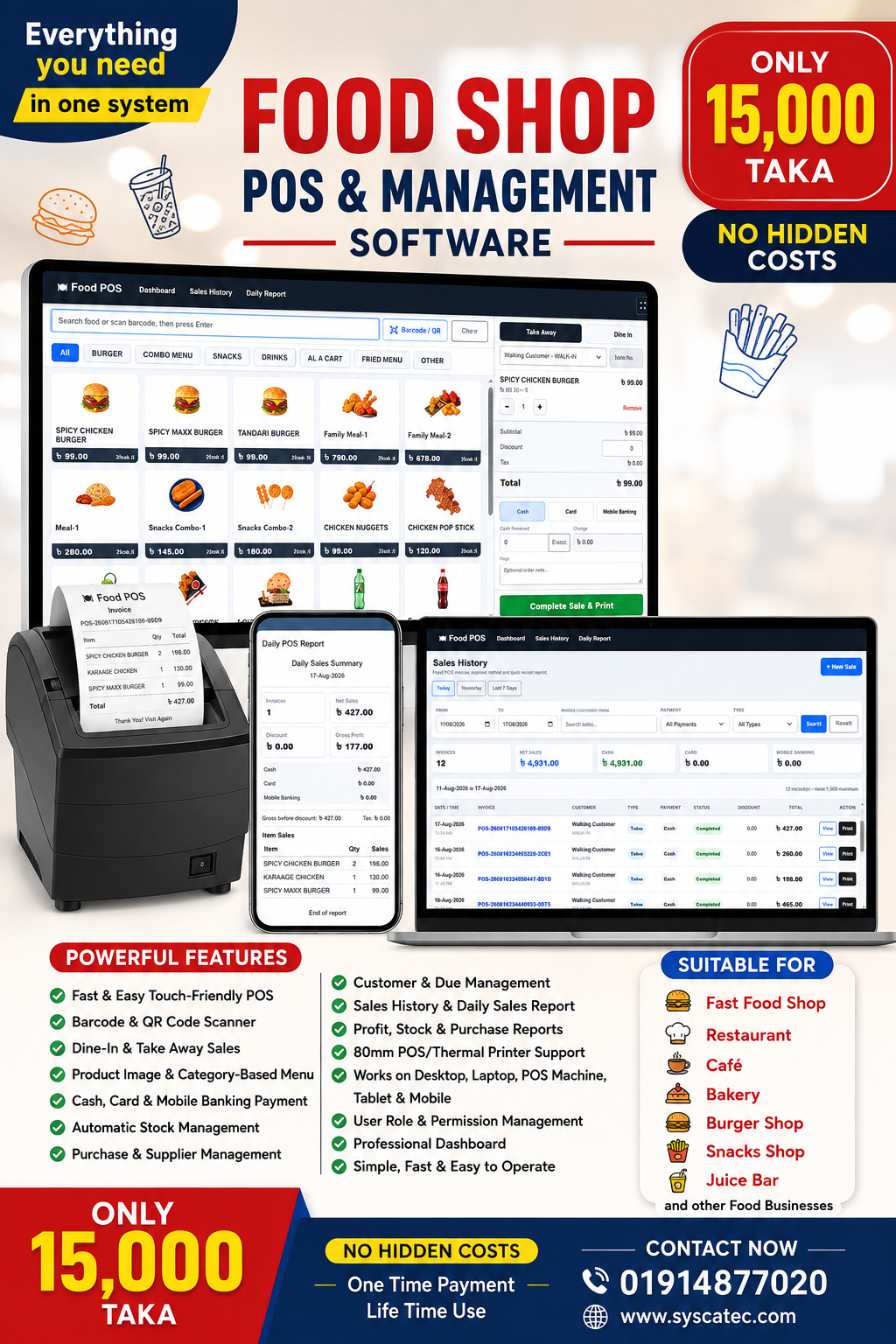
Food Shop POS & Management Software
Fast POS • Easy Billing • Food Picture Menu • Barcode/QR Scanner • Stock Control • Purchase Management • Supplier Management • Customer Management • Sales History • Profit Reports • 80mm Receipt Printing • Role-Based Security • Mobile Responsive • POS Machine Ready
Overview
Complete solution for your business
# Food Shop POS & Management Software
A complete, easy-to-use **Food Shop POS & Management Software** designed for restaurants, fast-food shops, cafés, bakeries, burger shops, juice bars, snack shops and other food businesses.
The software is optimized for **POS machines, desktop computers, laptops, tablets and mobile devices**, with support for **80mm thermal/POS printers**.
## POS Sales System
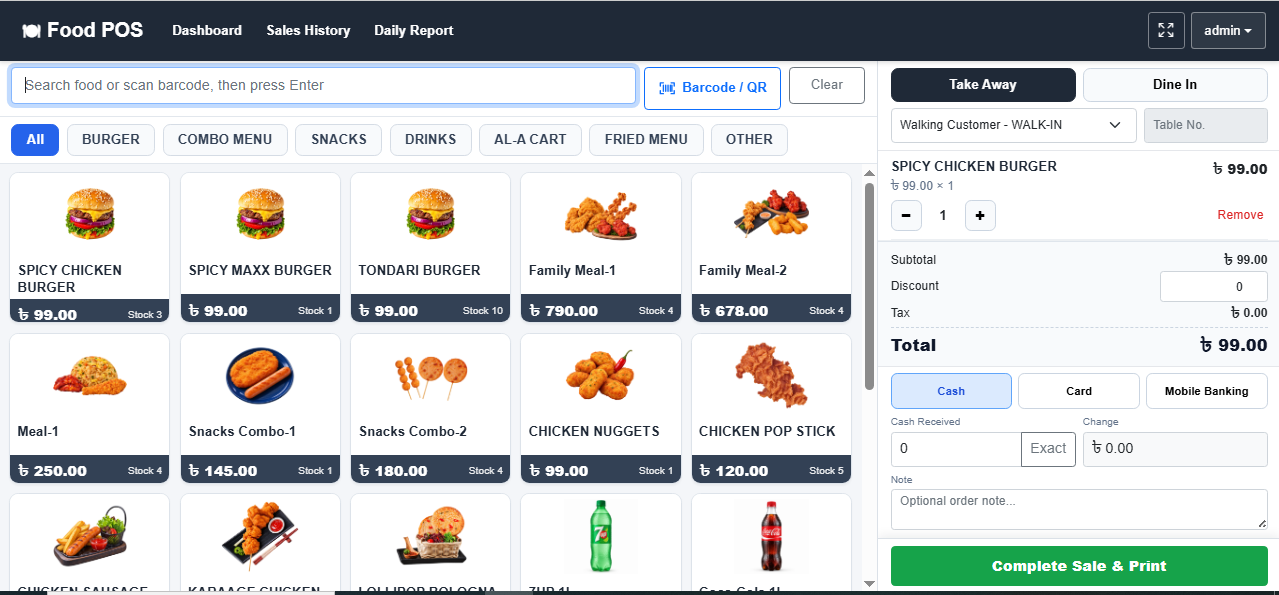
* Fast and touch-friendly Food POS interface
* Product image-based menu
* Category-wise food item display
* Quick product search
* Barcode scanning
* QR Code scanning
* USB barcode scanner support
* Mobile/tablet camera scanner support
* Automatic product addition after scanning
* Quantity increase/decrease
* Product removal from cart
* Real-time subtotal calculation
* Discount facility
* Tax calculation
* Automatic Grand Total calculation
* Cash Received entry
* Automatic Change calculation
* Order Note facility
* Fixed **Complete Sale & Print** button
* Fast sales processing for busy counters
## Order Types
* Take Away
* Dine In
* Table Number entry
* Walking Customer support
* Registered Customer selection
## Payment Methods
* Cash
* Card
* Mobile Banking
* Automatic payment calculation
* Cash received and change calculation
## Product Management
* Product ID
* Product Name
* Product Category
* Food Category
* Barcode
* Purchase Price / Cost Price
* Selling Price
* Product Picture
* Current Stock
* Stock tracking option
* Active / Inactive product
* Active in POS option
* Product Details
* Product Edit
* Product Delete control
Products already used in a **Purchase or Sale transaction cannot be deleted**, protecting historical business records.
## Food Category Management
Create separate categories such as:
* Burger
* Combo Menu
* Snacks
* Drinks
* Fried Menu
* Fast Food
* Coffee
* Juice
* Dessert
* Other
Categories automatically appear on the POS screen for faster product selection.
## Stock Management
* Automatic stock update after purchase
* Automatic stock deduction after sales
* Current stock quantity
* In Stock status
* Low Stock status
* Out of Stock status
* Stock status-wise product search
* Stock report
* Current Stock Cost
* Potential Stock Sales Value
* Potential Stock Profit
Prepared food items can also be configured without stock tracking where required.
## Purchase Management
* Supplier-wise Purchase
* Purchase Invoice
* Product selection
* Quantity
* Purchase Rate
* Discount
* Paid Amount
* Due Amount
* Purchase History
* Purchase Details
* Purchase Edit
* Purchase Report
* Automatic stock increase after purchase
## Supplier Management
* Supplier Profile
* Supplier Contact Information
* Supplier Purchase History
* Supplier Payment
* Supplier Due
* Supplier Ledger
* Supplier Summary
* Supplier-wise reports
## Customer Management
* Walking Customer
* Registered Customer
* Customer Information
* Customer Sales History
* Customer Due
* Customer Payment
* Customer Ledger
* Customer-wise sales report
## Sales Management
* Complete Sales History
* Food POS Sales History
* Invoice Number
* Sale Date and Time
* Customer
* Order Type
* Table Number
* Item Quantity
* Payment Method
* Discount
* Tax
* Grand Total
* Sale Status
* Receipt View
* Receipt Reprint
## Food POS Sales History
A separate sales-history page designed specifically for POS operation.
Available filters include:
* Today
* Yesterday
* Last 7 Days
* Custom From/To Date
* Invoice Search
* Customer Search
* Phone Search
* Cash
* Card
* Mobile Banking
* Take Away
* Dine In
Summary information includes:
* Total Invoices
* Net Sales
* Cash Sales
* Card Sales
* Mobile Banking Sales
## POS Receipt / Invoice
* Professional receipt design
* 80mm thermal printer support
* Invoice Number
* Date & Time
* Customer Information
* Order Type
* Table Number
* Product Name
* Quantity
* Rate
* Amount
* Subtotal
* Discount
* Tax
* Grand Total
* Payment Method
* Cash Received
* Change
* Order Note
* Receipt Reprint
Designed to work with common **80mm POS/Thermal printers**.
## Dashboard
Professional business dashboard containing important information such as:
* Today's Sales
* Sales Summary
* Total Products
* Low Stock Products
* Out of Stock Products
* Purchase Information
* Customer/Supplier information
* Gross Profit
* Current Stock Cost
* Potential Stock Sales
* Potential Stock Profit
Sensitive financial cards such as **Gross Profit, Current Stock Cost, Potential Stock Sales and Potential Stock Profit** are available only to authorized Administrator/SuperAdmin users.
## Reports
Comprehensive reporting facility including:
* Report Dashboard
* Daily Sales Report
* Date-wise Sales Report
* Food POS Daily Report
* Sales Report
* Product-wise Sales Report
* Customer-wise Sales Report
* Purchase Report
* Supplier Report
* Due Report
* Profit Report
* Tax Report
* Stock Report
* Product Stock Summary
* Low Stock Report
* Out of Stock Report
* Current Stock Cost
* Potential Stock Sales
* Potential Stock Profit
Reports use clean, compact and professional amount cards suitable for computers and POS displays.
## User & Role Management
* SuperAdmin
* Administrator
* Other operational users
* Role-based access
* User Management
* Change Password
* Secure Sign Out
* Logged-in User information
* Permission-based financial information visibility
## Responsive Food POS
The Food POS interface is optimized for:
* Desktop Computer
* Laptop
* Touch POS Machine
* Tablet
* Android Mobile
* Different monitor resolutions
The interface automatically adjusts according to available screen size.
### Desktop / POS Machine
* Products on left
* Bill and calculation on right
* Multiple product cards displayed
* Dedicated cart scrollbar
* Payment section always accessible
### Mobile / Tablet
* Responsive product grid
* Horizontally scrollable categories
* Touch-friendly controls
* Responsive shopping cart
* Easy access to billing and calculation section
## Smart Cart Design
* Maximum two ordered products displayed initially in the cart area
* Scrollbar automatically appears for additional products
* Product quantity controls
* Remove option
* Separate checkout scrolling
* Order Note remains accessible
* **Complete Sale & Print** remains fixed at the bottom for fast operation
## Barcode & QR Scanner
* USB Barcode Scanner
* Handheld POS Barcode Scanner
* Camera Barcode Scanner
* QR Code Scanner
* Manual Barcode/Product ID entry
Supports common barcode formats such as:
* EAN-13
* EAN-8
* UPC-A
* UPC-E
* CODE-128
* CODE-39
* CODE-93
* ITF
* CODABAR
* QR Code
## Full-Screen POS Mode
Food POS includes:
* Full-screen button
* Compact POS header
* Food POS Home shortcut
* Dashboard shortcut
* Sales History shortcut
* Daily Report shortcut
* User account dropdown
* Role display
* Change Password
* Sign Out
This helps the software operate like a dedicated POS application.
## Security & Data Protection
* Login authentication
* Role-based authorization
* Restricted financial information
* Historical transaction protection
* Products used in Purchase/Sales cannot be deleted
* Secure user account management
* Controlled Administrator/SuperAdmin access
## Business Benefits
* Faster billing
* Reduced manual calculation
* Better stock control
* Accurate sales records
* Easier purchase management
* Better supplier management
* Quick daily sales checking
* Easy profit monitoring
* Professional customer receipts
* Reduced cashier errors
* Easy staff training
* Simple user interface
* Suitable for high-volume food counters
## Suitable Businesses
Ideal for:
* Fast Food Shops
* Burger Shops
* Restaurants
* Cafés
* Coffee Shops
* Bakeries
* Snack Shops
* Fried Chicken Shops
* Juice Bars
* Food Courts
* Takeaway Shops
* Small Restaurants
* Catering Counters
* School/College Canteens
* Office Canteens
* Other Food & Beverage Businesses
## Technology
* ASP.NET Core MVC
* SQL Server Database
* Bootstrap Responsive UI
* JavaScript / jQuery
* Web-based architecture
* Runs through modern web browsers
* Designed for Windows-based POS environments
* Responsive support for mobile and tablet devices
## Key Selling Points
**Fast POS • Easy Billing • Food Picture Menu • Barcode/QR Scanner • Stock Control • Purchase Management • Supplier Management • Customer Management • Sales History • Profit Reports • 80mm Receipt Printing • Role-Based Security • Mobile Responsive • POS Machine Ready**
### Simple. Fast. Professional.
A complete solution for managing your **Food Shop Sales, Stock, Purchase, Supplier, Customer, Cash Collection and Business Reports from one software.**
Main features
Everything you need in one system
Food Shop POS & Management Software
✅ Fast & Easy Touch-Friendly POS
✅ Barcode & QR Code Scanner
✅ Dine-In & Take Away Sales
✅ Product Image & Category-Based Menu
✅ Cash, Card & Mobile Banking Payment
✅ Automatic Stock Management
✅ Purchase & Supplier Management
✅ Customer & Due Management
✅ Sales History & Daily Sales Report
✅ Profit, Stock & Purchase Reports
✅ 80mm POS/Thermal Printer Support
✅ Works on Desktop, Laptop, POS Machine, Tablet & Mobile
✅ User Role & Permission Management
✅ Professional Dashboard
✅ Simple, Fast & Easy to Operate
Suitable for: Fast Food Shop, Restaurant, Café, Bakery, Burger Shop, Snacks Shop, Juice Bar and other Food Businesses.
Promotional video
See the software in action
Related solutions

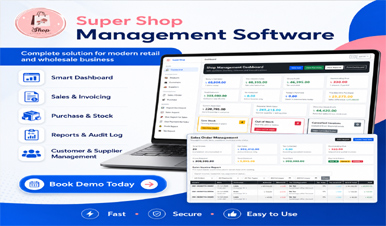
Super Shop POS and Management Software
POS Sales, Manage sales, purchases, inventory, customers, suppliers, due payments and business reports from one professional system.
View DetailsPharmacy Management Software with POS
Complete medicine, batch, expiry, purchase, sales, barcode, due and pharmacy reporting system.
View Details